
If you’ve recently installed Windows 11 or upgraded from Windows 10, you may notice that your system isn’t activated. While Windows can run without activation, using an unlicensed copy comes with limitations, security risks, and constant reminders.
In this guide, you’ll learn where to buy a legit Windows 11 license, which options are safe, and what to avoid when purchasing a product key online.
Why You Need a Genuine Windows 11 License
Using a genuine Windows 11 license is not just about removing the activation watermark. A licensed copy gives you:
✔️ Full access to security updates
✔️ Better system stability
✔️ Microsoft account synchronization
✔️ Legal use for personal or business purposes
✔️ No “Activate Windows” watermark on your screen
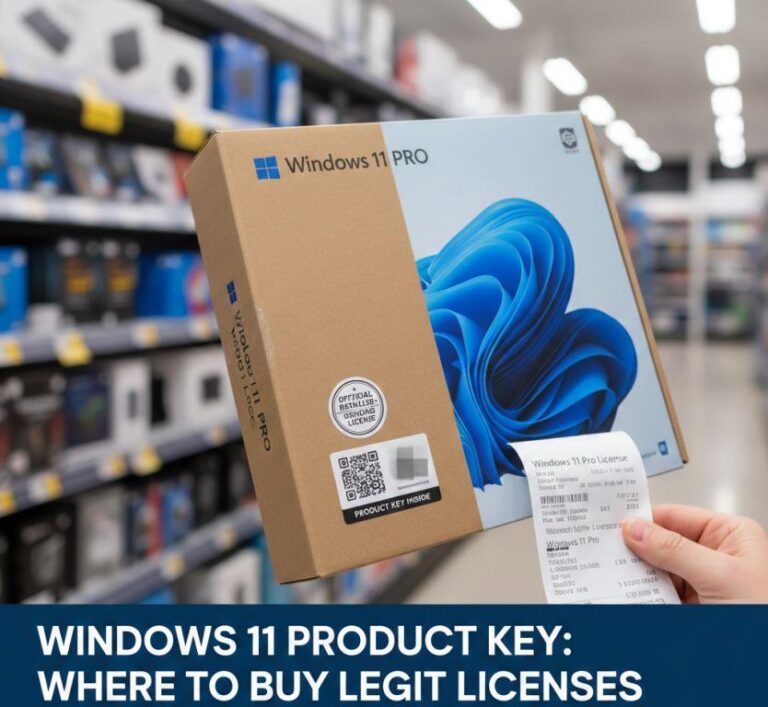
Where to Buy a Legit Windows 11 License
Best Places to Buy a Genuine Windows 11 Key
1.Microsoft Store (Online or App)
2. Trusted Online Partner (Recommended)
- Amazon (verified sellers)
- Newegg
- Best Buy
These sources provide invoices, refunds, and long-term license reliability.
Why Cheap Windows 11 Keys Are Risky
You may see Windows 11 keys sold for $5–$10 on random websites. These keys are often:
-
❌ Volume License keys (not meant for resale)
-
❌ Previously used or stolen
-
❌ Blocked by Microsoft later
-
❌ Unsupported if activation fails
Many users experience errors like 0xC004F050 or sudden deactivation weeks later.
Minimum System Requirements for Windows 11
- Processor (CPU): 1 GHz or faster, 2+ cores, 64-bit compatible.
- RAM: 4 GB.
- Storage: 64 GB or larger.
- System Firmware: UEFI, Secure Boot capable.
- TPM: Trusted Platform Module (TPM) version 2.0.
- Graphics Card: DirectX 12 compatible with WDDM 2.0 driver.
- Display: 9 inches diagonally, 720p High Definition.
If your system does not meet these requirements, Windows 11 may not install.
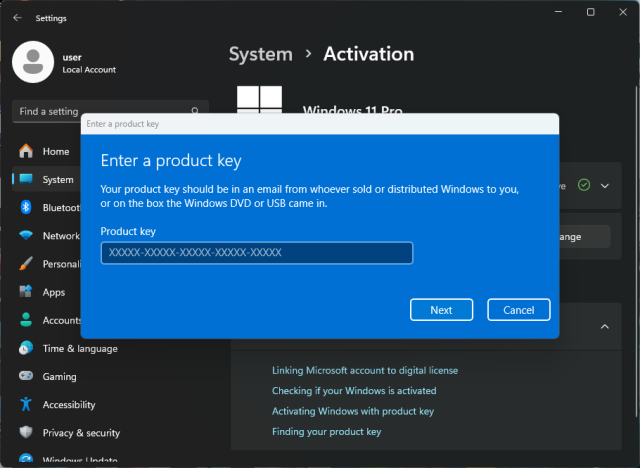
How to Activate Windows 11 (Step-by-Step)
-
Open Settings
-
Go to System → Activation
-
Click Change product key
-
Enter your Windows 11 license key (Enter the 25-character key)
-
Click Next and confirm
| Feature | Home | Pro |
|---|---|---|
| Personal use | ✅ | ✅ |
| BitLocker | ❌ | ✅ |
| Remote Desktop | ❌ | ✅ |
| Business features | ❌ | ✅ |
Most home users only need Windows 11 Home , power users and businesses should choose Pro.
FAQ – Windows 11 License Questions
1. Is Windows 11 free to use?
Windows 11 is not free. You can install it without a license, but activation is required for full features, updates, and long-term use.
2. What happens if Windows 11 is not activated?
You’ll see an “Activate Windows” watermark, personalization will be disabled, and some updates may be limited. It’s not recommended for permanent use.
3. Can I use my Windows 10 product key to activate Windows 11?
In many cases, yes. A genuine Windows 10 license can activate Windows 11, but this is not guaranteed for all license types.
4. Is it safe to buy a Windows 11 key online?
Yes, but only from official or trusted sellers. Extremely cheap keys are often invalid or get blocked later.
5. Why are some Windows 11 keys so cheap?
Cheap keys usually come from volume licenses, resold OEM keys, or unauthorized sources. These keys may stop working at any time.
6. Can I reuse my Windows 11 license on another PC?
Retail licenses can usually be transferred to another PC. OEM licenses are tied to the original hardware and cannot be moved.
7. What’s the difference between OEM and Retail Windows 11 licenses?
OEM licenses are cheaper and locked to one PC. Retail licenses cost more but can be transferred to another device.
8. How long does Windows 11 activation take?
Activation usually takes less than a minute once you enter a valid product key and connect to the internet.
9. What should I do if my Windows 11 activation fails?
Check your internet connection, verify the key, and run the Activation Troubleshooter. If the key is invalid, you may need a new legitimate license.
10. Is Windows 11 worth buying in 2026?
Yes. Windows 11 offers long-term support, security updates, and improved performance compared to older versions of Windows.
Buy a legitimate Windows 11 license from a trusted source:
Windоws 11 Home 👉 Amazon.com
Windоws 11 Pro 👉 Amazon.com
