


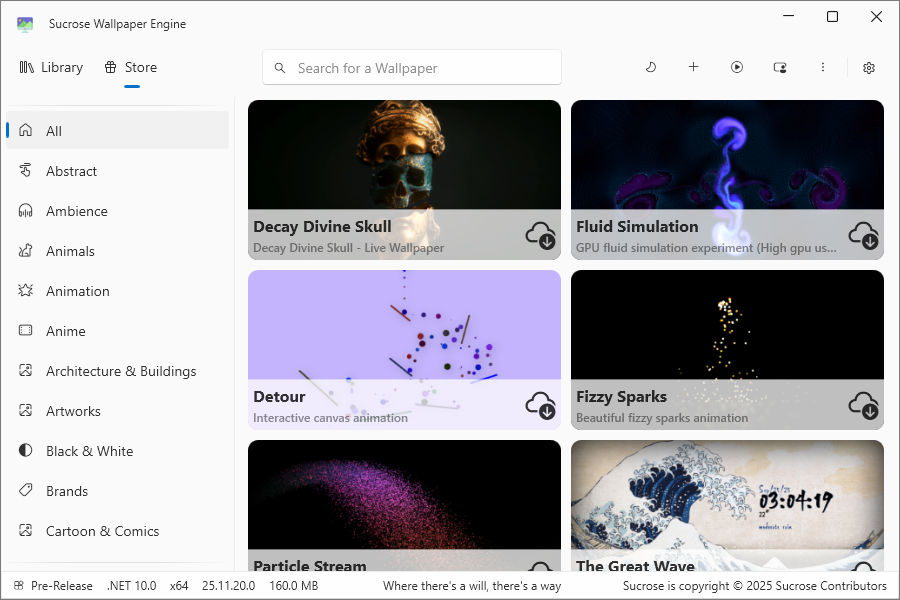
Sucrose Wallpaper Engine is a free, open-source Windows application designed to bring animated and interactive wallpapers to your desktop. It’s often praised as a lightweight alternative to paid live wallpaper tools and is especially popular among users seeking customization without significant system load. Developed by Taiizor and hosted on GitHub, Sucrose is actively maintained, with recent updates as of late 2025 improving stability, multi-monitor support, and integration features.
What Is Sucrose Wallpaper Engine?
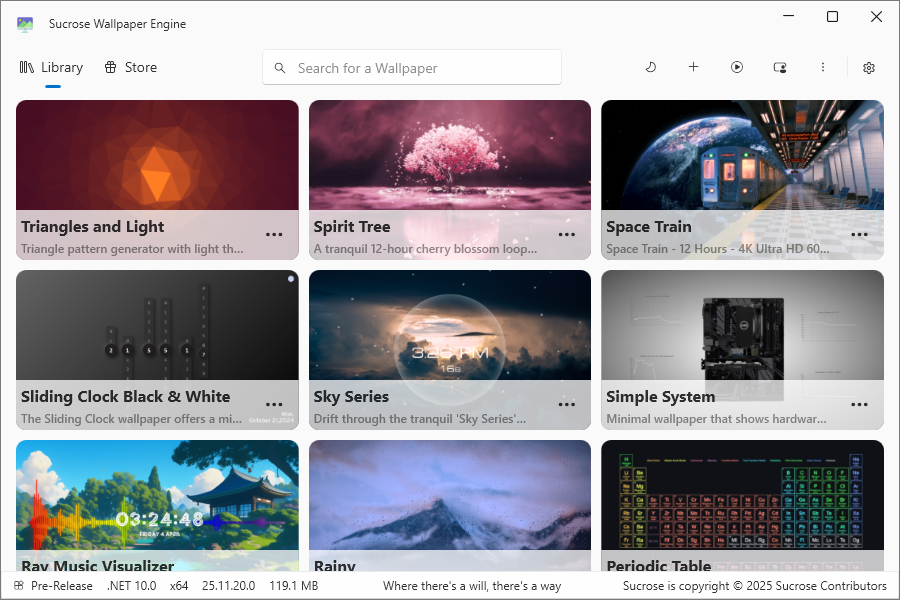
Sucrose Wallpaper Engine is a desktop customization tool that allows you to use animated wallpapers, including video-based, GIF, and interactive backgrounds, on Windows 10 and Windows 11. It also supports live web content via integrations like CefSharp or Microsoft Edge WebView2.
Unlike some commercial wallpaper engines, Sucrose emphasizes simplicity, performance, and extensibility. It runs quietly in the background, requires minimal hardware (including .NET runtime and standard dependencies like Microsoft Visual C++ Redistributable), and is suitable for mid-range PCs or laptops where battery life matters.
Key Features of Sucrose Wallpaper Engine
Sucrose offers a robust set of features while keeping things efficient:
🎨 Animated Wallpapers: Use motion wallpapers, videos, GIFs, or interactive elements to give your desktop a dynamic look.
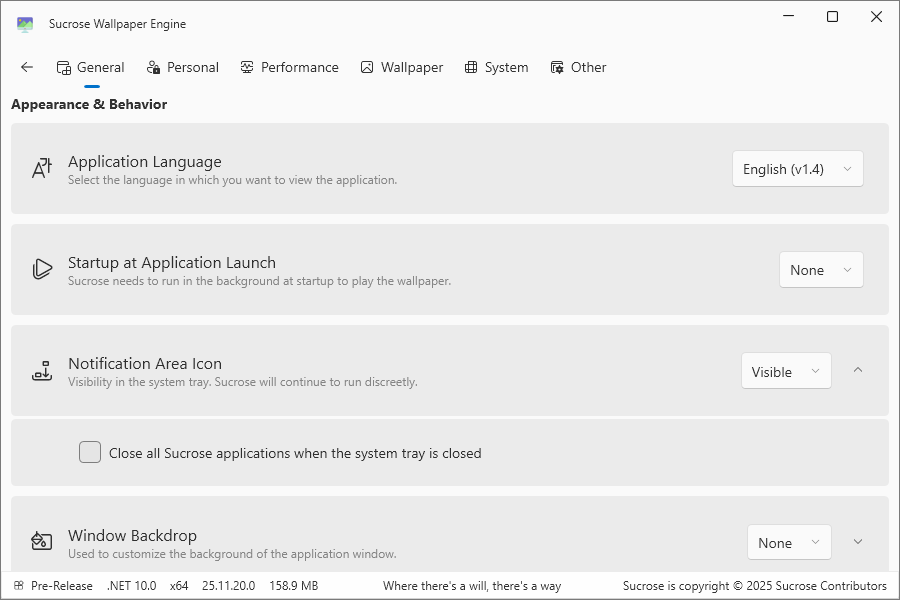
⚡ Low Resource Usage: Optimized for minimal CPU and RAM consumption; automatically pauses wallpapers during fullscreen apps, games, or when on battery power.
🧩 Simple Interface: A clean, user-friendly design with light/dark mode themes, making it easy to apply or change wallpapers without complex navigation.
🆓 Completely Free and Open-Source: No subscriptions or payments required; available on GitHub for contributions and modifications.
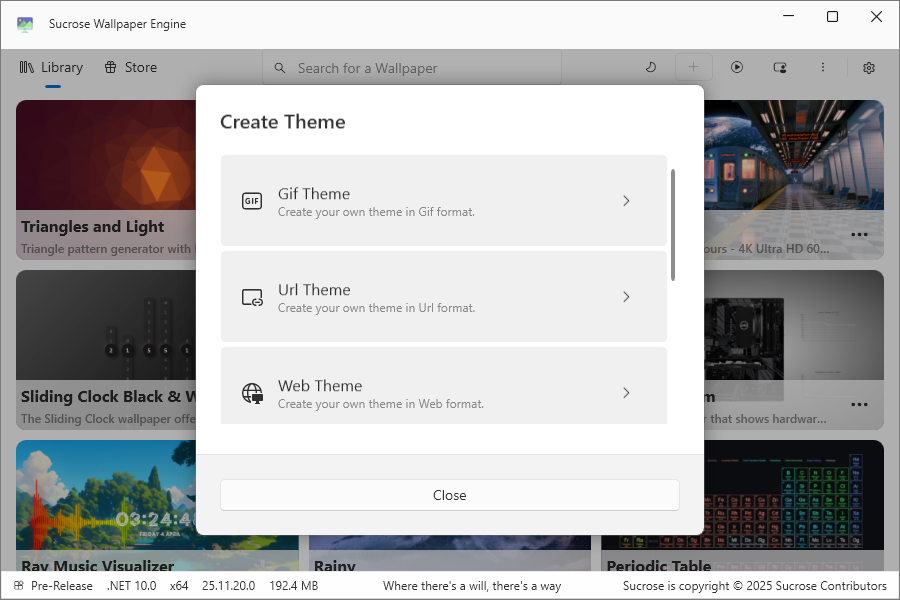
🔧 Custom Wallpaper Creation: Built-in tools for designing your own wallpapers, including support for scripting and APIs.
- Sucrose Audio API: Wallpapers that react to music or media playback.
- Sucrose System API: Display real-time system stats like CPU usage, battery level, or time directly on the wallpaper.
🖥️ Multi-Monitor Support: Seamlessly handles multiple screens with varying resolutions.
🌐 Web Integration: Turn any website into a live wallpaper using embedded browsers.
📦 Community Store: A built-in, free store for downloading and sharing user-created wallpapers—no marketplace fees involved.
Is Sucrose Wallpaper Engine Safe?
Sucrose Wallpaper Engine is generally safe when downloaded from trusted sources like the Microsoft Store, GitHub (Taiizor/Sucrose), github.io. It’s open-source, allowing code reviews, and there are no known security issues in official releases. It doesn’t modify system files, registry settings, or Windows security components.
However, as with any customization tool:
- Avoid unofficial builds or third-party downloads to prevent malware.
- Install required dependencies (e.g., WebView2) from official Microsoft sources.
- Keep Windows Defender or antivirus enabled.
- Monitor for unusual behavior and close the app if needed—though user reviews report it’s stable and non-intrusive.
Sucrose Wallpaper Engine vs Other Wallpaper Apps
Compared to popular alternatives, Sucrose strikes a balance between features and efficiency:
- Wallpaper Engine (Paid via Steam): Sucrose offers similar interactivity and animations for free but lacks the massive paid marketplace (Steam Workshop). It excels in battery efficiency and open-source flexibility.
- Lively Wallpaper (Free Alternative): Sucrose stands out with its advanced APIs for audio/system integration and web support, making it more extensible for custom setups.
- General Strengths: Fewer bells and whistles than premium options, but superior in simplicity, low system impact, and free access.
If you need deep scripting, marketplace content, or complex effects, a paid tool might suit better. For everyday animated wallpapers, Sucrose is often called the “best free alternative”.
Who Should Use Sucrose Wallpaper Engine?
This tool is ideal for:
- Windows users wanting animated wallpapers without paying.
- PCs or laptops where performance and battery life are priorities.
- Those preferring minimalistic desktop customization.
- Power users interested in scripting, API-based customizations, or multi-monitor setups.
It may not suit users seeking ultra-advanced visual effects, extensive pre-made content libraries, or non-Windows platforms.
How to Get Started
Getting up and running is straightforward:
- Download: Grab it from official sources like the Microsoft Store , GitHub (Taiizor/Sucrose), github.io.
- Installation: Install any prompted dependencies (e.g., .NET, WebView2). No admin rights needed for basic use.
- Usage: Launch the app, browse the community store for wallpapers, import your own (videos/GIFs/web links), or create custom ones using the tools. Enable power-saving modes for optimal performance on laptops.
- Tips: For best results, test on a single monitor first, and check the GitHub wiki for advanced API guides.
Final Thoughts
Sucrose Wallpaper Engine is a lightweight, free, and open-source solution for adding animated and interactive wallpapers to Windows. With recent 2025 updates enhancing customizability, it delivers what many users crave: simple yet powerful customization with minimal performance impact.
If you’re looking to refresh your Windows desktop without spending money or bogging down your system, Sucrose is definitely worth trying.
Explore other helpful tools in our Windows utilities section.
