
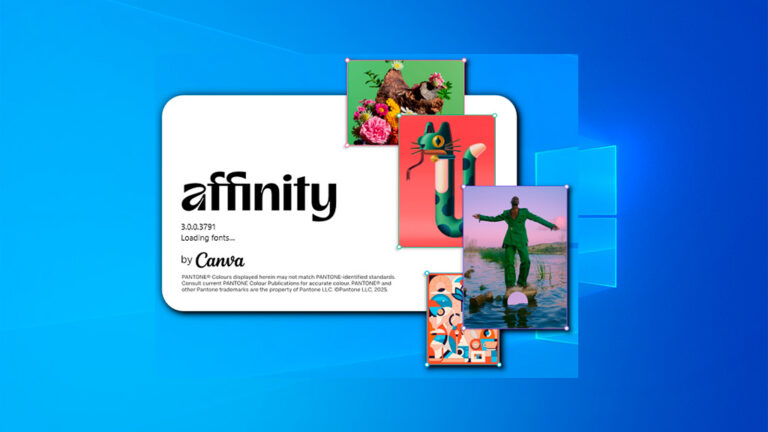
Affinity Suite Review 2025 — Professional Alternative to Adobe Photoshop, Illustrator, and InDesign
Discover the Affinity Suite — a powerful, affordable alternative to Adobe’s creative software. Learn about Affinity Photo, Designer, and Publisher, their key features, pricing, and why professionals switch from Adobe Creative Cloud.
🔍 What Is the Affinity Suite?
The Affinity Suite is a collection of professional design tools developed by Serif, a UK-based software company. It includes:
-
Affinity Photo — for photo editing and retouching (Adobe Photoshop alternative)
-
Affinity Designer — for vector graphics, logos, and illustrations (Adobe Illustrator alternative)
-
Affinity Publisher — for page layout and publishing (Adobe InDesign alternative)
Unlike Adobe, Affinity apps require only a one-time payment, not a monthly subscription.
💡 Why Creators Are Switching to Affinity
Many designers, photographers, and illustrators are moving away from Adobe because of:
-
High monthly subscription fees
-
Constant internet activation
-
Heavier system requirements
Affinity offers lightweight, fast, and offline-friendly software that performs almost the same tasks — sometimes even better.
⚙️ Key Features of Affinity Photo
-
Advanced RAW photo editing and batch processing
-
Support for PSD files
-
Non-destructive editing with layers and masks
-
AI-based selection and retouching tools
-
Export in all major image formats (JPG, PNG, TIFF, PSD, etc.)
Affinity Photo is ideal for photographers and content creators who need pro-level editing without a subscription.
🎨 Affinity Designer — Vector Graphics Made Easy
Affinity Designer competes directly with Illustrator, offering:
-
Real-time performance — zero lag even with complex files
-
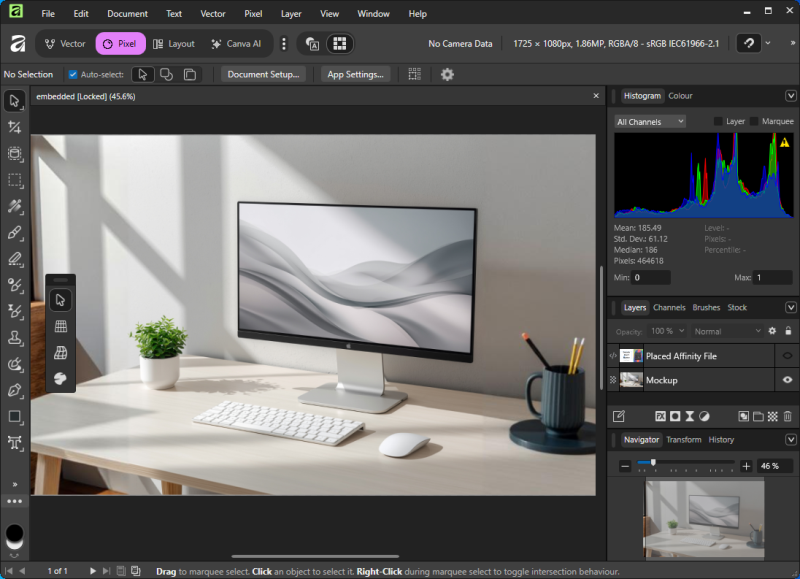
Pixel and vector modes for hybrid design
-
Artboards, grids, and smart snapping
-
Support for SVG, EPS, PDF, and PSD
It’s widely used for logo design, UI mockups, icons, and game graphics.
📘 Affinity Publisher — Desktop Publishing for Everyone
Affinity Publisher helps you design books, flyers, magazines, and brochures with ease.
-
Drag-and-drop image frames and text blocks
-
Master pages, bleed, and guides
-
Integration with Designer and Photo (“StudioLink”)
-
Export to PDF/X for print and digital publishing
StudioLink allows seamless switching between apps — edit a photo directly inside Publisher without leaving your layout.
🧠 Who Is Affinity Best For?
Affinity is perfect for:
-
Freelancers and small studios
-
Students and educators
-
YouTubers and content creators
-
Businesses that want to cut design costs
It provides 90% of Adobe’s power for 10% of the cost, with a modern interface and professional export options.
✅ Pros and Cons
Pros:
✔ One-time payment, no subscription
✔ Cross-platform (Windows, Mac, iPad)
✔ Fast and lightweight
✔ Full compatibility with Adobe formats
Cons:
❌ No built-in cloud sync
❌ Smaller plugin ecosystem than Adobe
❌ Some learning curve for Adobe users
🚀 Final Verdict
The Affinity Suite is one of the best investments for creative professionals in 2025.
It combines performance, affordability, and freedom — without being tied to monthly payments.
If you’re tired of Adobe’s subscription model, Affinity Photo, Designer, and Publisher give you everything you need to create, design, and publish — faster and cheaper.
Explore other helpful tools in our Windows utilities section.
